
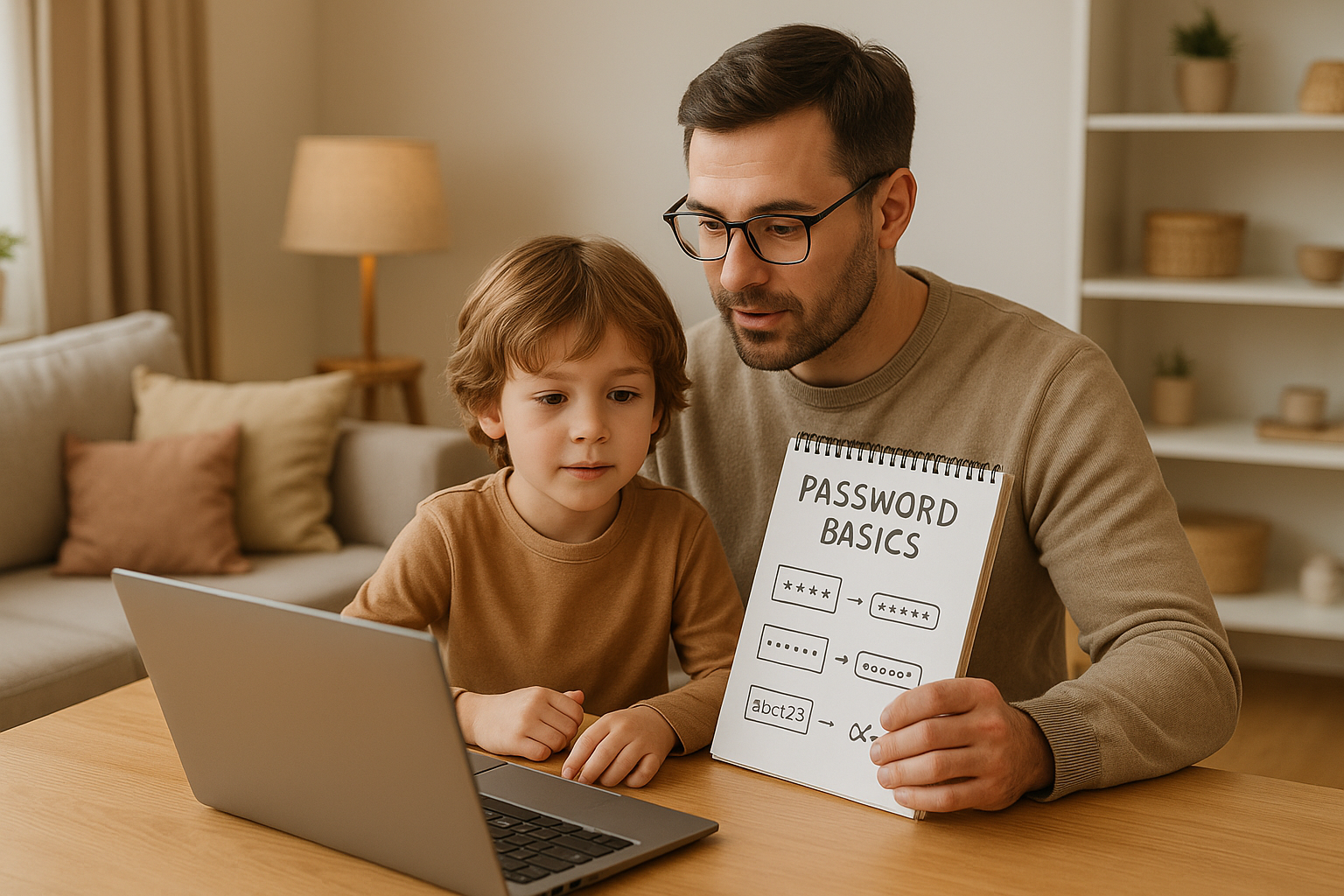
How to Teach Kids Password Basics
Kids are getting online earlier than ever, with many owning a smartphone by age 10. This means they need to learn how to create strong passwords to protect their accounts and personal information. Weak passwords can lead to stolen identities, financial issues, or even cyberbullying.
Here’s how you can help your child:
- Avoid Personal Info: No names, birthdays, or favorite things in passwords.
- Make Passwords Strong: Use at least 12 characters with a mix of uppercase, lowercase, numbers, and symbols.
- Create Memorable Passphrases: Turn sentences or unrelated words into passwords (e.g., “Purple7Bicycle!Pizza3”).
- Use Unique Passwords: Every account should have a different password.
- Keep Passwords Private: Teach kids to never share passwords, except with parents.
- Store Passwords Safely: Younger kids can use a notebook; older ones can try password managers.
Strong passwords are just one part of online safety. Tools like Guardii can also monitor and block harmful messages in real time, providing extra protection for kids online. Together, these strategies help build safer digital habits for life.
Lesson 6: Strong Passwords – Internet Safety for Kids | My Body is My Body

Why Passwords Matter for Online Safety
Passwords are like the digital keys to your online world, safeguarding everything from favorite games to cherished photos and personal messages. Let’s explore how they protect digital spaces and why using strong ones is so important.
What Passwords Do
Passwords act as the first barrier, keeping personal accounts and sensitive information safe from prying eyes [5][2]. Without them - or with weak ones - unauthorized access becomes far too easy. Imagine passwords as the secret code to a treehouse or the key to a treasure chest. They’re essential for keeping what’s inside private and secure [2].
Problems with Weak Passwords
Weak passwords can open the door to serious risks, both for your child’s safety and your family’s security. Hackers who exploit weak passwords can steal personal information, make unauthorized purchases, or even impersonate your child online [5]. This can lead to identity theft, as cybercriminals gather details like names, birthdates, or school information to commit fraud.
Financial risks are also a concern. If a child’s account is linked to a parent’s credit card for in-app purchases or subscriptions, hackers may rack up charges. The 2019 Collection #1 data breach is a stark example, where millions of weak passwords were exposed, showing just how widespread the problem can be [6][5].
But it’s not just about money or stolen identities. Weak passwords can lead to cyberbullying and harassment. Unauthorized access might allow someone to post embarrassing content, send hurtful messages, or share private details. The social and emotional harm from such incidents can be long-lasting and deeply impactful.
How to Help Kids Create Strong Passwords
Helping kids create strong, memorable passwords is essential in today's digital world. Here's how you can guide them through the process.
Don't Use Personal Information
Passwords should never include personal details that are easy to guess. Names, birthdays, pet names, favorite teams, or school names are a no-go. A staggering 81% of hacking-related breaches involve stolen or weak passwords, often because they rely on such easily accessible information, according to the Verizon 2021 Data Breach Investigations Report [5].
For example, passwords like "Emma2015" or "Lakers123" are far too predictable. Instead, explain to your child that a password is like a secret code - completely separate from anything someone could figure out by knowing them.
To make this clear, sit with your child and list all the personal details someone might know about them: their name, birthday, siblings' names, or favorite activities. Use this as a teaching moment to show why these details make poor password choices. Then, introduce the idea of creating passwords with a mix of characters and added length.
Mix Different Characters and Make It Long
A strong password is both long and varied. Ideally, it should be at least 12–15 characters and include uppercase and lowercase letters, numbers, and symbols [5][3]. The difference in security is massive - while an 8-character password can be cracked in hours, a 12-character password might take centuries using brute force attacks [5].
One fun way to create a strong password is to use a favorite phrase and turn it into a password. For instance, if your child loves the sentence "Jack and Jill went up the hill to fetch water", you can take the first letter of each word to create "J&Jwuth2fw" [2]. This approach naturally includes a mix of characters while staying memorable.
Another effective method is the three random words technique, endorsed by experts like Ian Levy from the UK's National Cyber Security Centre [7]. Your child can pick three unrelated words, such as "Purple", "Bicycle", and "Pizza", and combine them with numbers and symbols to create something like "Purple7Bicycle!Pizza3." This technique produces a strong password that’s easier to remember than a random string of characters.
You can even turn this into a game by challenging your child to replace letters with symbols (like 'e' to '3' or 'a' to '@'). Just remember, while these substitutions add a layer of complexity, they should be part of a broader strategy [4].
Make Passwords Easy to Remember but Hard to Guess
The key to a great password is finding the right balance between security and ease of recall. Passphrases, which are sequences of unrelated words or memorable sentences, are a solid choice. They're simpler to remember than random characters but still highly secure [5][2].
One creative approach is the story method. Work with your child to come up with a short, silly story that only they know. For example, "My cat wears purple socks on Tuesdays" can become "McWpS0nT!" This makes the process fun while ensuring the password is tough to crack.
Visual memory can also be a powerful tool. Encourage your child to visualize their password or even draw a picture to represent it. For instance, if their password is "Rainbow8Drums#Moon", they might imagine a rainbow, eight drums, and a moon - a vivid image that helps them remember.
Another option is the sentence transformation method, also known as the Bruce Schneier Method [7]. Your child can take a meaningful sentence - like a favorite quote or family saying - and systematically transform it. For instance, "I love reading books every single day" could become "IlrBe5D!" by using the first letter of each word, adding a number, and including punctuation.
Finally, have your child practice typing their new password. This reinforces their memory and builds confidence in creating secure passwords they'll remember for future use.
Teaching Good Password Habits
Coming up with strong passwords is only the first step. The real challenge is ensuring kids develop habits that help protect them throughout their digital lives. These practices are the foundation of online safety and need consistent reinforcement from parents.
Use Different Passwords for Each Account
Each account should have its own unique password. While this might seem like a hassle, it’s a critical step in staying safe online. Reusing the same password across multiple accounts is like giving hackers a universal key - if they get one, they can try it on everything.
Think about this: the average person reuses the same password for five accounts, leaving them vulnerable to credential stuffing attacks [5]. By using unique passwords, kids can limit potential damage to just one account instead of risking a chain reaction [6][8].
To explain this to kids, use a simple analogy: imagine having one key that opens every door in your house. If someone finds that key, they can get into every room. But if each door has its own key, losing one doesn’t compromise the others. The same idea applies to passwords.
Once kids understand the importance of unique passwords, the next step is teaching them how to keep those passwords private.
Keep Passwords Secret
Kids need clear guidance on why and when to keep passwords confidential. Passwords should never be shared with friends, classmates, or anyone other than parents or guardians [2][8]. Just like you wouldn’t hand out your house key, passwords must stay private to protect access.
It’s easy for kids to overlook the risks of sharing passwords. For instance, letting a friend log into a gaming or social media account might seem harmless, but it opens the door to unintended consequences - like friends changing settings or sharing the password with others.
Kids also need to be cautious when using public computers. Always log out completely and never save passwords on shared devices like those in schools or libraries [2]. These computers are used by many people, and saved passwords can be accessed by anyone who uses them next.
Another critical lesson is recognizing fake password requests. Legitimate companies will never ask for passwords via email or text [6]. If your child gets a message claiming to be from a favorite game or social media platform asking for a password, they should immediately notify a parent.
The only exception to password secrecy is sharing with parents. Kids should understand that parents need access to their accounts for supervision and safety.
Password Storage Options for Kids
Once kids understand how to create and protect passwords, the next step is learning how to store them securely. The method should match their age and digital skills, starting simple and becoming more advanced as they grow.
For younger kids in elementary school, physical storage often works best. A password notebook kept in a secure spot at home is a straightforward solution parents can supervise. Some teachers even manage classroom passwords on index cards stored securely, giving kids access when needed [7].
For older kids and teenagers, password managers are a great option. These tools securely store and encrypt passwords, requiring only one master password to access them all [5]. They make it easier to manage multiple accounts without sacrificing security.
Transitioning from physical to digital storage should be gradual. Introduce password managers to middle schoolers with less important accounts first, giving them time to practice before moving critical passwords into the system.
| Storage Method | Best Age Group | Security Level | Usability | Supervision Required |
|---|---|---|---|---|
| Written notebook | Ages 6-10 | Moderate | High | High |
| Password manager | Ages 11+ | High | Moderate | Low-Moderate |
| Memorization only | All ages | Low | Low | High |
No matter the method, having a secure way to store passwords - whether written down or in a manager - reduces the temptation to reuse them [6]. When kids know they can safely retrieve their passwords, they’re more likely to create unique ones for every account instead of relying on the same password everywhere.
The goal is to strike a balance between security and practicality that works for your family. Start with the method that feels most manageable, and adjust as your child’s digital skills and responsibilities grow.
sbb-itb-47c24b3
Common Password Mistakes to Avoid
When it comes to creating and managing passwords, even with the best intentions, kids often fall into predictable patterns. Recognizing these common mistakes can help parents guide their children toward safer online habits and better security practices.
Examples of Bad vs. Good Passwords
The difference between a weak password and a strong one becomes clear when you compare them side by side. Simple passwords like "ABCDE", "123456", or "password" are easy targets for hackers and should be avoided at all costs [4]. Here’s a helpful comparison:
| Weak Password | Weakness | Strong Password | Strength |
|---|---|---|---|
| password123 | Common word with a basic number | MyD0gIsAw3some! | Combines a phrase with numbers and a special character |
| 123456 | Simple sequence | Book9*Forest! | Mixes words, numbers, and a symbol |
| johnny2008 | Personal info, predictable | SMAGP2day1# | Uses an acronym with numbers, a symbol, and unique elements |
| qwerty | Keyboard pattern | Jump3Fish#Blue | Combines random words with numbers and a symbol |
These stronger examples show that passwords can be both secure and easy to remember by using a mix of elements like phrases, symbols, and numbers. However, keep in mind that predictable substitutions, such as using "@" for "a" or "!" for "I", aren’t foolproof - hacking tools are often designed to account for these common tricks [4].
Why Reusing and Sharing Passwords Is Dangerous
Even the strongest password won’t help if it isn’t managed properly. Reusing the same password across different accounts is a major security risk [9]. If one account is compromised, hackers can try the same password on other platforms, potentially gaining access to email, social media, or gaming accounts.
Another critical rule: kids should never share their passwords, even with close friends. Sharing passwords might seem harmless, but it can lead to unintended access to private information [3]. Sharing passwords via text or email is also risky, especially on shared devices, as these methods can be intercepted. Instead, children should create unique passwords for each account and share them only with their parents when necessary [8].
Avoid Simple Patterns and Common Words
Hackers often rely on automated tools that can quickly crack passwords based on common patterns. That’s why it’s essential to avoid using personal details like names, birthdays, usernames, or email addresses in passwords [9]. Sequences, repetitive characters, or keyboard patterns like "qwerty" should also be avoided.
Instead of using simple words like "pizza", teach kids to get creative by mixing in numbers and symbols - turning "pizza" into something like "PizzaRocket7!" [4]. Passwords should be at least eight characters long for basic protection, but longer passwords are even better [4][9]. Thinking in phrases rather than single words can make passwords both more secure and easier to remember.
Finally, remind kids that passwords aren’t meant to last forever. Encourage them to update their passwords once or twice a year - perhaps at the start of a new school year or on their birthday. This habit can help protect against potential breaches [3].
Using Technology for Better Online Safety
Strong passwords are essential for protecting account access, but they can't shield what happens inside those accounts. That's where AI-powered tools like Guardii step in, providing an extra layer of security to keep online interactions safe.
The risks for kids online are alarming. The FBI reported that over 500,000 children in the U.S. fell victim to online predators in 2023 alone[3]. Even more concerning, online grooming cases have surged by over 400% since 2020, with 8 out of 10 grooming incidents starting in private direct messages[1].
How Guardii Protects Kids Online

Monitoring tools like Guardii use advanced AI to scan direct messages on popular social platforms, identifying and blocking harmful content in real time. The system analyzes context and patterns to detect suspicious language or behavior, including grooming, bullying, or other threats.
When Guardii spots something concerning, it removes the harmful message from your child’s view and quarantines it for your review. This ensures your child is shielded from harmful material while giving you the chance to evaluate potential risks. Additionally, Guardii preserves evidence for law enforcement if needed, offering a level of protection that passwords alone can't achieve.
"As a parent of two pre-teens, I was constantly worried about their online interactions. Since using Guardii, I can finally sleep easy knowing their conversations are protected 24/7. The peace of mind is invaluable." - Sarah K., Guardii Parent
This kind of intelligent monitoring is vital because online predators often use subtle, seemingly harmless language that escalates over time.
Combining Monitoring Tools with Password Security
Think of password protection and AI monitoring as two parts of a stronger defense system. While strong passwords keep unauthorized users out of accounts, tools like Guardii safeguard interactions within those accounts. Together, they create a multi-layered approach to digital safety, addressing the fact that 1 in 7 children report unwanted contact from strangers online[1].
Setting up Guardii is straightforward and doesn’t require technical know-how. Through a guided setup process, the tool connects to your child’s messaging apps and works quietly in the background. Alerts are sent only for genuinely concerning content, helping parents focus on real threats without unnecessary interruptions.
A 2024 Pew Research Center study highlights the growing reliance on digital safety tools, with 67% of U.S. parents now using monitoring or parental control software[8]. The adoption of AI-based tools has jumped by 38% from 2022 to 2024[8], reflecting their increasing importance in online safety strategies.
These tools also reinforce the good habits you’re teaching your kids. When children know their online interactions are monitored for safety, they’re more likely to take other precautions seriously, like creating strong, private passwords. This approach fosters a broader sense of digital responsibility, helping kids stay safer online.
Modern tools like Guardii strike a balance between protection and trust. By focusing on real threats rather than invasive surveillance, they respect your child’s privacy while keeping them safe.
Key Points to Remember
Building strong password habits is an essential step toward lifelong digital safety. Think of passwords as the keys to your child's online world - strong, well-crafted passwords protect their accounts from unwanted access. The best passwords are at least 12 characters long and mix uppercase and lowercase letters, numbers, and special symbols to create a tough barrier against online threats.
One effective strategy is the sentence method. This involves turning a meaningful phrase into a secure password. For example, the phrase "Jack and Jill went up the hill to fetch water" could become "J&Jwuth2fw" by using the first letter of each word, along with capital letters and special characters[2]. It's practical, memorable, and secure.
Using unique passwords for each account is non-negotiable. Reusing the same password across platforms can lead to a chain reaction if just one account gets compromised. Teaching kids to create a distinct password for every account, change them regularly, and never share them helps instill strong digital habits early on.
Once your child has unique passwords, managing them becomes the next step. Encourage them to always log out of public computers and explore secure storage options like password managers. For older kids, a password manager can simplify the process of handling multiple complex passwords, making it easier to stay secure without relying on memory alone. This, combined with careful monitoring, creates a solid defense system.
While strong passwords protect account access, they don’t shield kids from harmful interactions within those accounts. That’s where tools like Guardii's AI-driven monitoring come in. Guardii helps detect and block predatory behavior in direct messages, which is where 8 out of 10 grooming cases begin[1].
The best digital security comes from a layered approach: combining strong password practices with intelligent monitoring. Parents can play a big role by setting an example - showing their own commitment to online safety and turning password creation into a fun, family activity.
Finally, tailor password education to your child’s age. Younger kids can grasp the basics through games and fun activities, while older children can handle more advanced security practices. By making these lessons engaging and age-appropriate, you’re setting the stage for lifelong habits that will protect their growing digital footprint. As their online presence expands, these practices will ensure their safety remains a priority.
FAQs
How can I teach my child to create strong and secure passwords in a fun way?
Teaching your child about online safety can be a lot more fun than it sounds, especially when it comes to creating passwords. Start by breaking it down with simple examples - compare passwords to locking a treasure chest or keeping a diary private. This makes the concept relatable and easier for them to understand.
Then, make it a game! Sit down together and create passwords using their favorite things - maybe their favorite animal, color, or hobby - mixed with numbers and symbols. For example, you could come up with something like "BlueTiger!45" or "PizzaLover#88." Encourage them to think of phrases or sentences instead of single words. Not only does this make passwords stronger, but it also makes them easier for your child to remember.
Take it a step further by challenging them to come up with the most creative and unique combinations. This approach keeps the process fun while teaching an essential skill. Just don’t forget to reinforce one key rule: passwords are private and should only be shared with trusted adults.
How can I help my child remember strong passwords without writing them down?
Helping your child remember strong passwords doesn’t have to be a chore - it can actually be a fun activity! Start by introducing them to mnemonics or memorable phrases. For instance, you could use a sentence like, "My Dog Max Loves Treats Every Day!" and turn it into a password such as MDMLTED!. It’s easy to remember and still secure.
Another approach is to personalize the password around something they love, like a favorite hobby or activity. If they’re a soccer enthusiast, a password like SoccerFan#10 works well. Just make sure it includes uppercase letters, numbers, and symbols for added security.
Don’t forget to practice together! Saying the password out loud a few times or connecting it to a fun story can help lock it into memory. By turning password creation into a playful and interactive experience, your child is more likely to remember it without needing to write it down.
How can I help my child understand why they need a different password for each account?
Imagine this: every online account is like a door in your house. If every door uses the same key (password), someone who gets hold of that key can open every single door. But if each door has its own unique key, even if someone gets one key, they can only access that one door, leaving the others secure.
This analogy makes it easier for your child to understand why using different passwords for each account is so important - it’s like having unique keys to protect every room in a house.